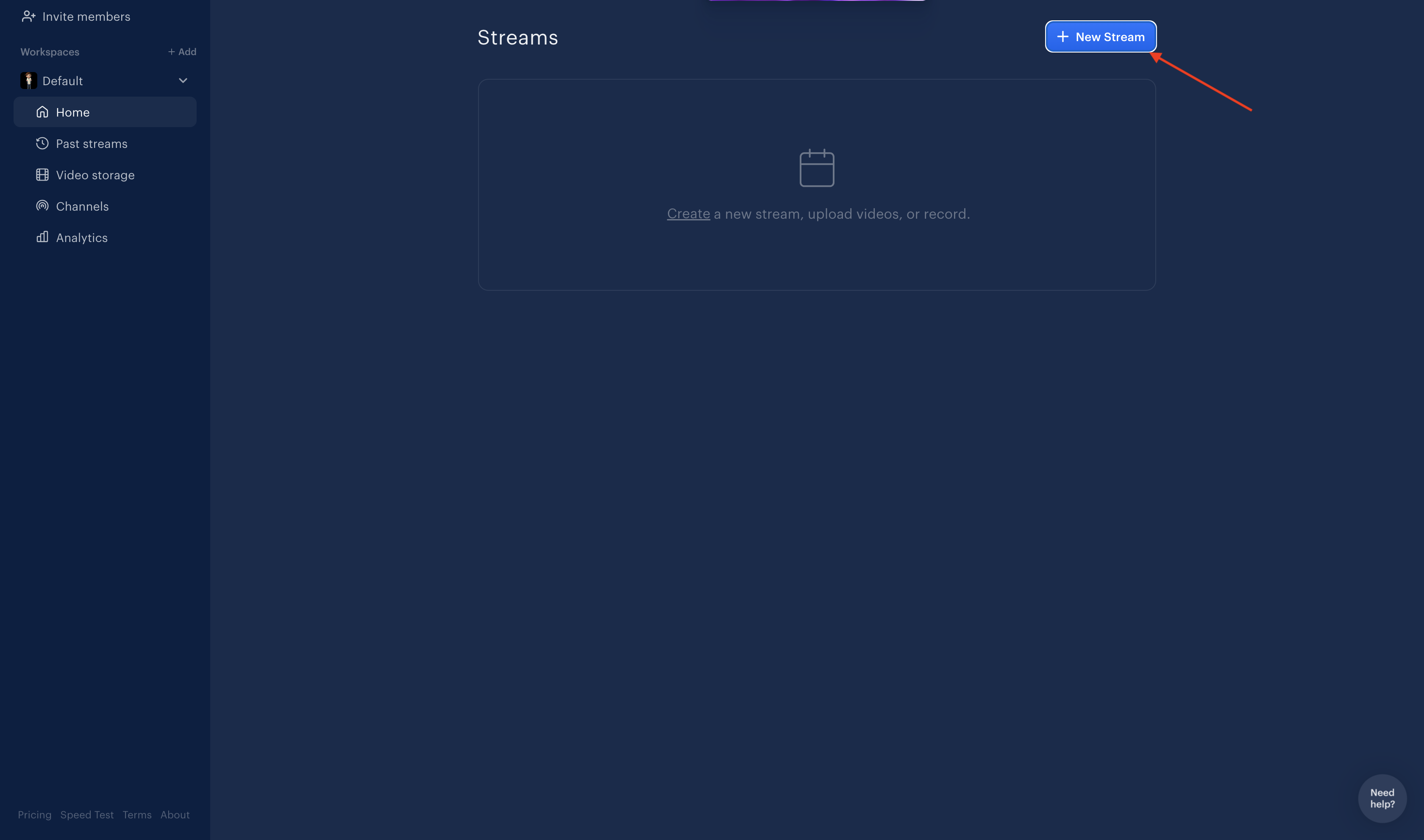
Open ReStream and tap on the New Stream button to start setting up your stream.
How to Stream Live on ReStream
Welcome to Qveedo, Let’s get started with a step-by-step guide to unlock your streaming potential.
Step 1: Go to ReStream and Tap on New Stream
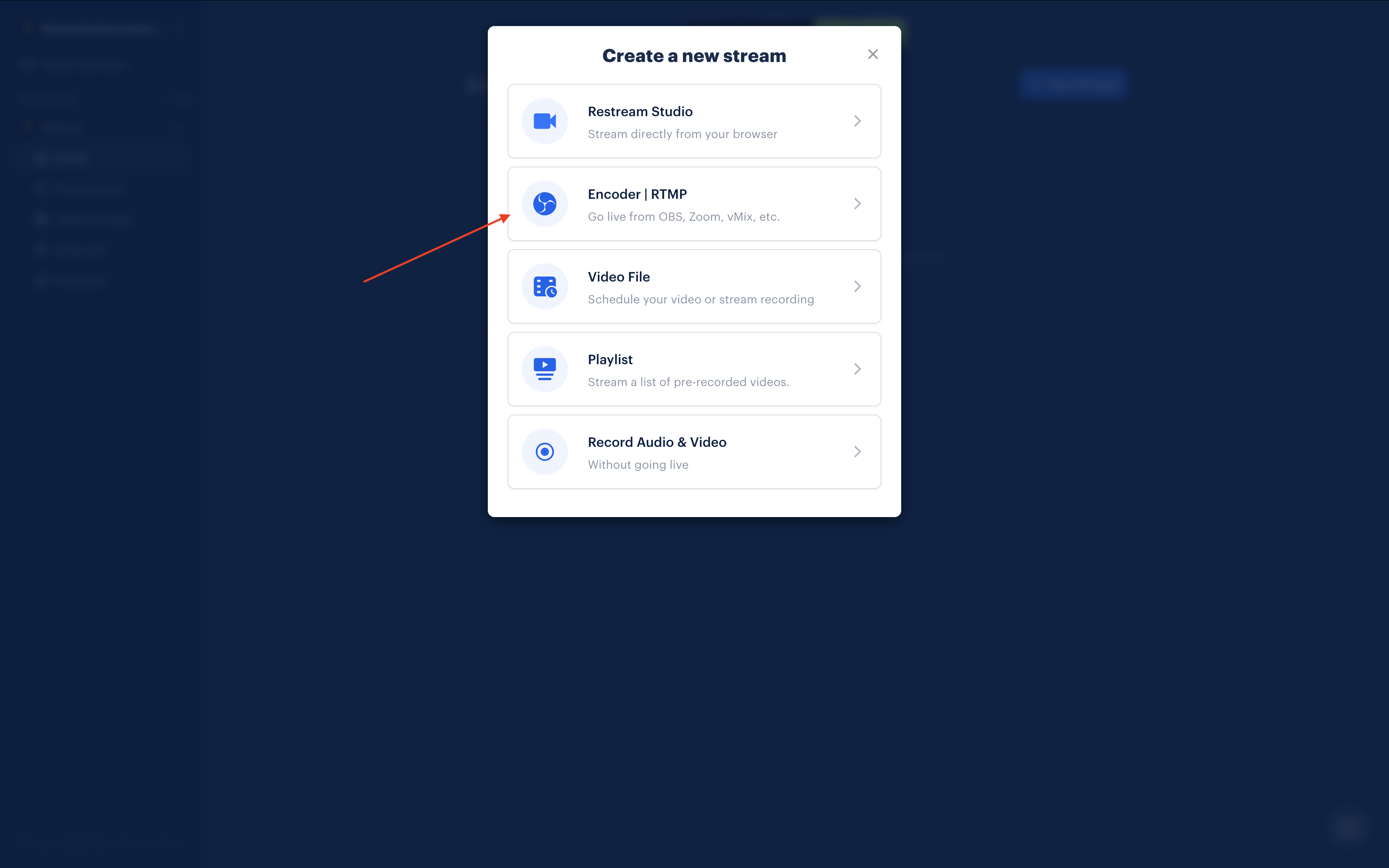
Step 2: Tap on Encoder | RTMP and get your streaming configuration
Tap on Encoder | RTMP to access your streaming configuration settings, including the RTMP URL and Stream Key.
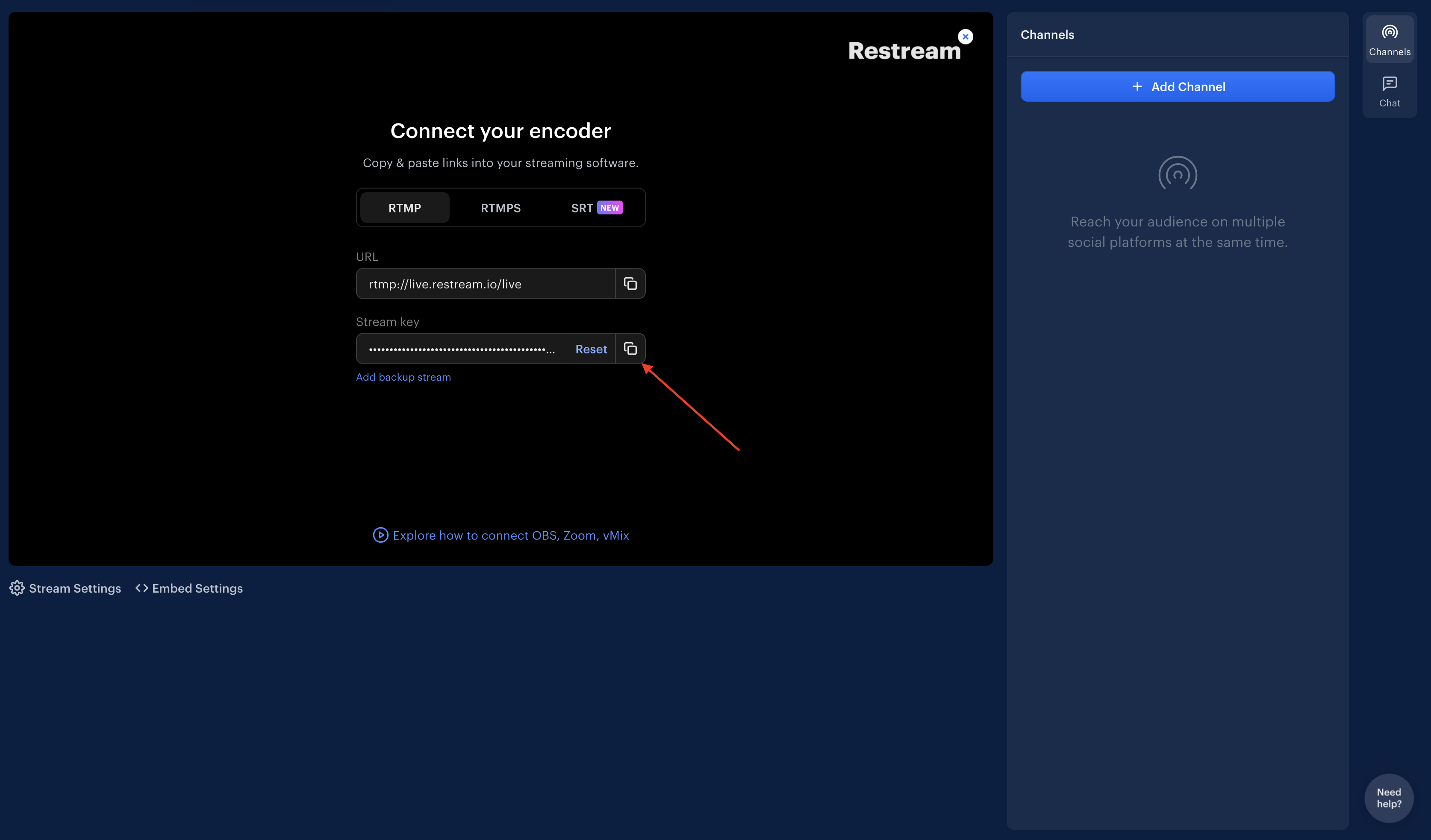
Step 3: Copy and Paste RTMP URL and Stream Key
Copy the RTMP URL and Stream Key from the configuration settings.
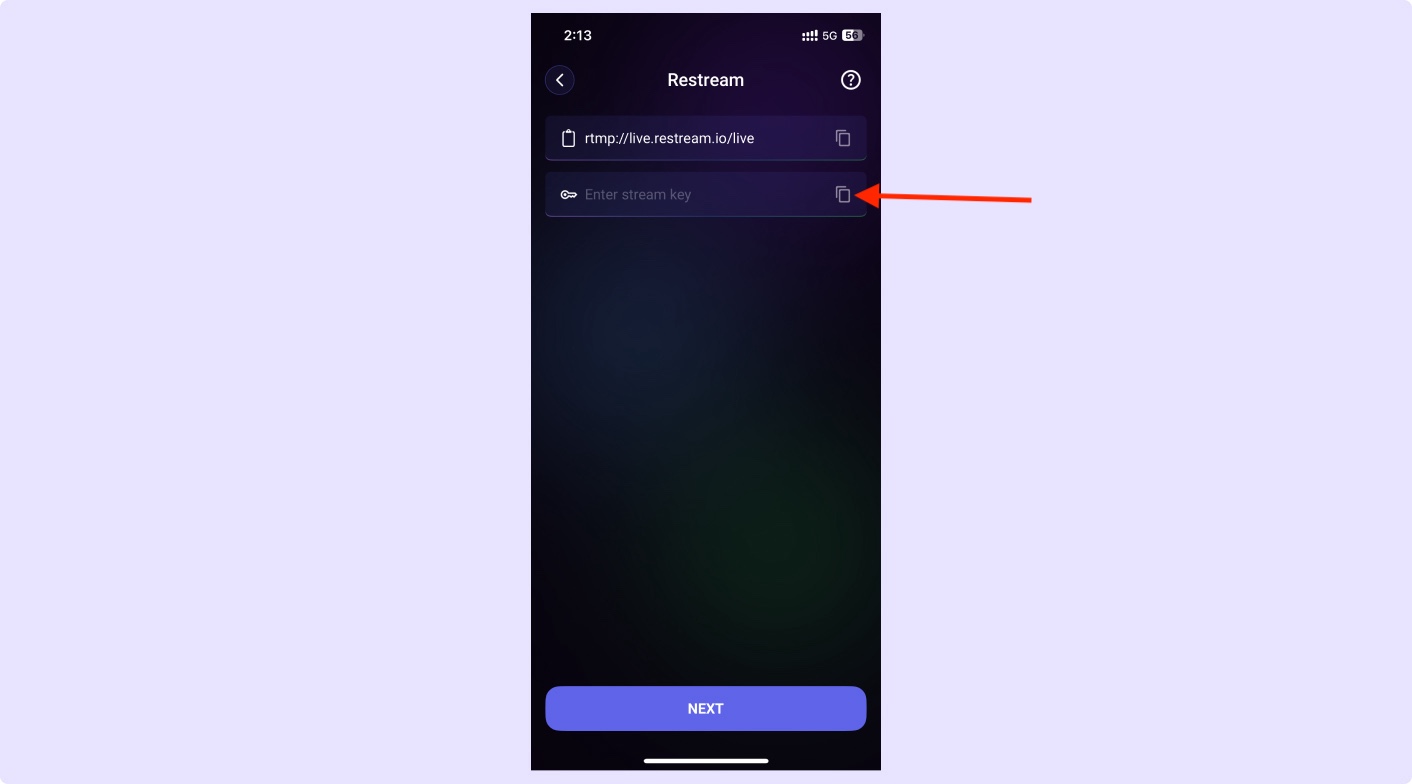
Step 4: Paste RTMP URL and Stream Key to our app and enjoy live streaming
Paste the copied RTMP URL and Stream Key into our app, and you're all set to enjoy live streaming!