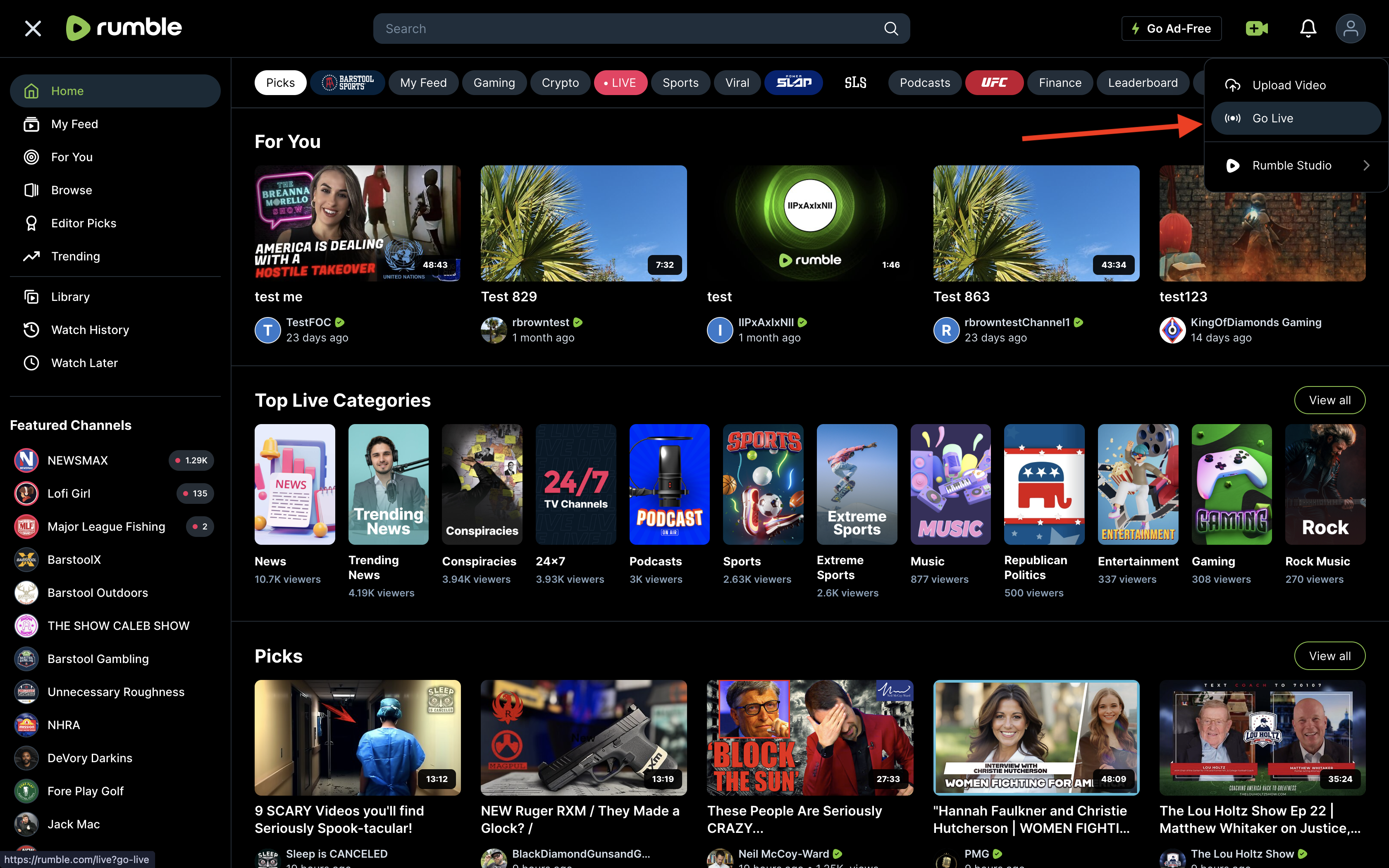
Navigate to Rumble, click on the "+" button, and select Go Live.
How to Stream Live on Rumble with Qveedo
Welcome to Qveedo, Let’s get started with a step-by-step guide to unlock your streaming potential.
Step 1: Go to Rumble and click (+) button and click on Go Live
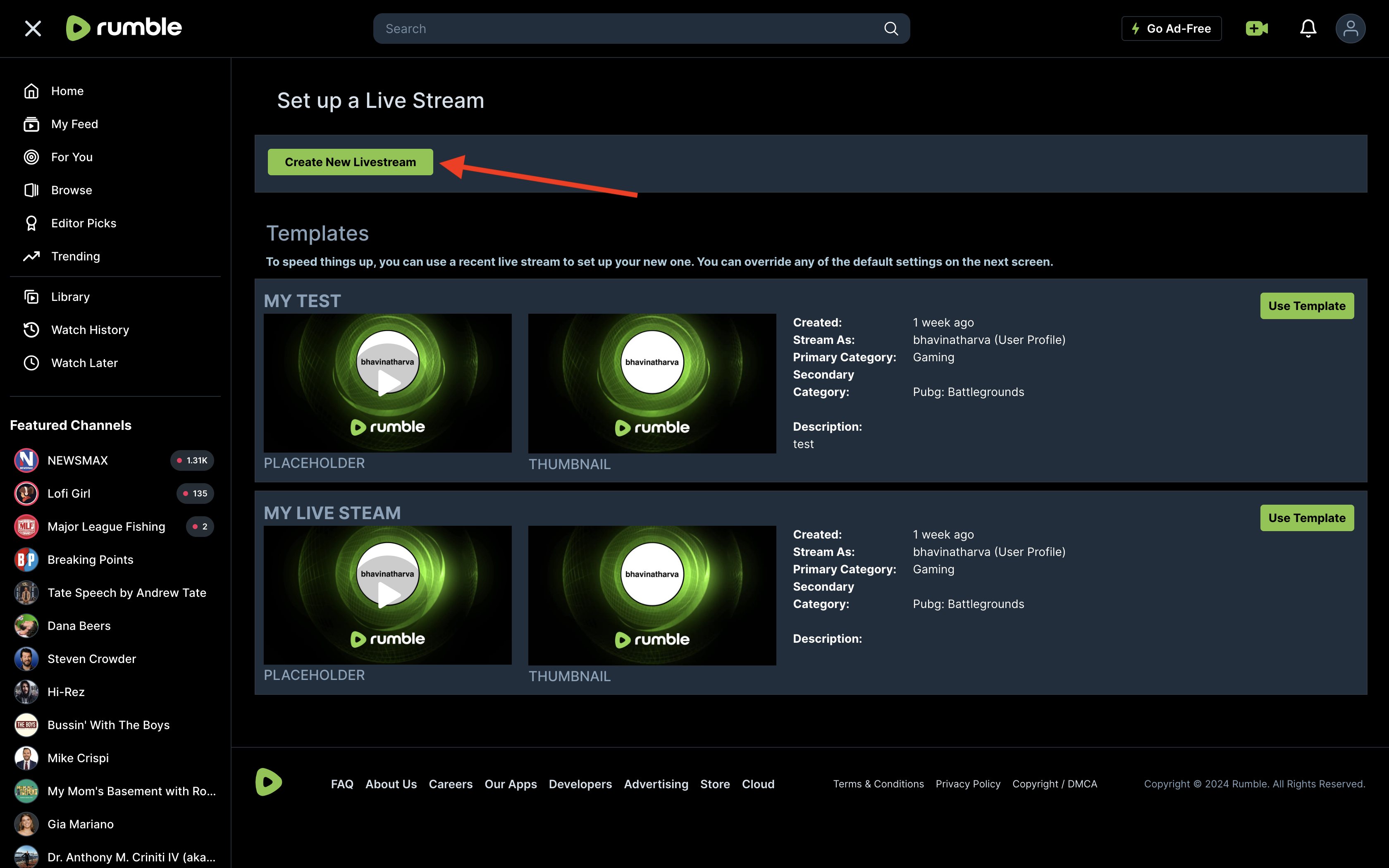
Step 2: Click on Create Live Stream and fill up your streaming details
Click Create Live Stream and fill out the necessary streaming details.
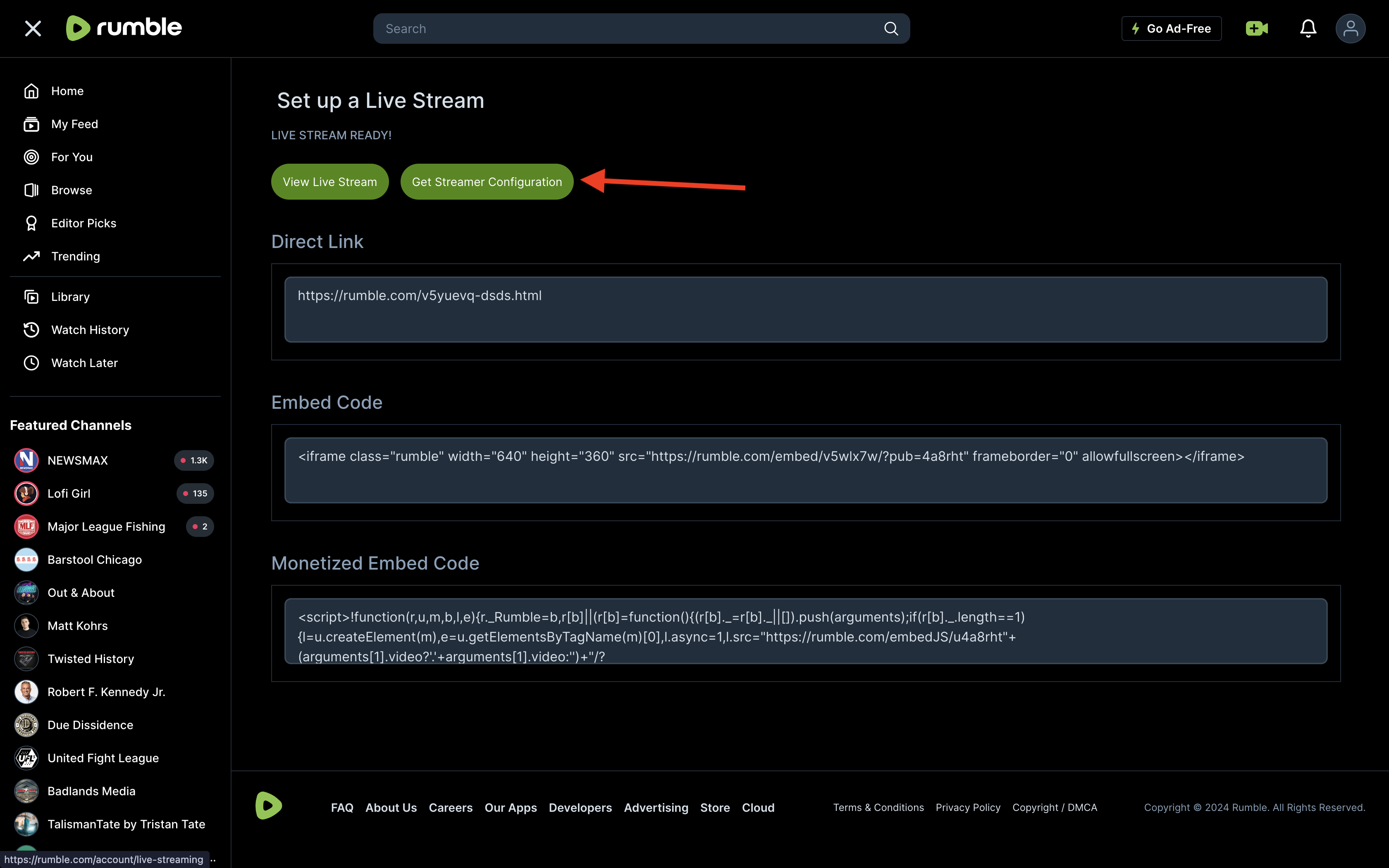
Step 3: You’re one step away! Click on Get Streamer Configuration and get stream details right away.
Click Get Streamer Configuration to access your stream details.
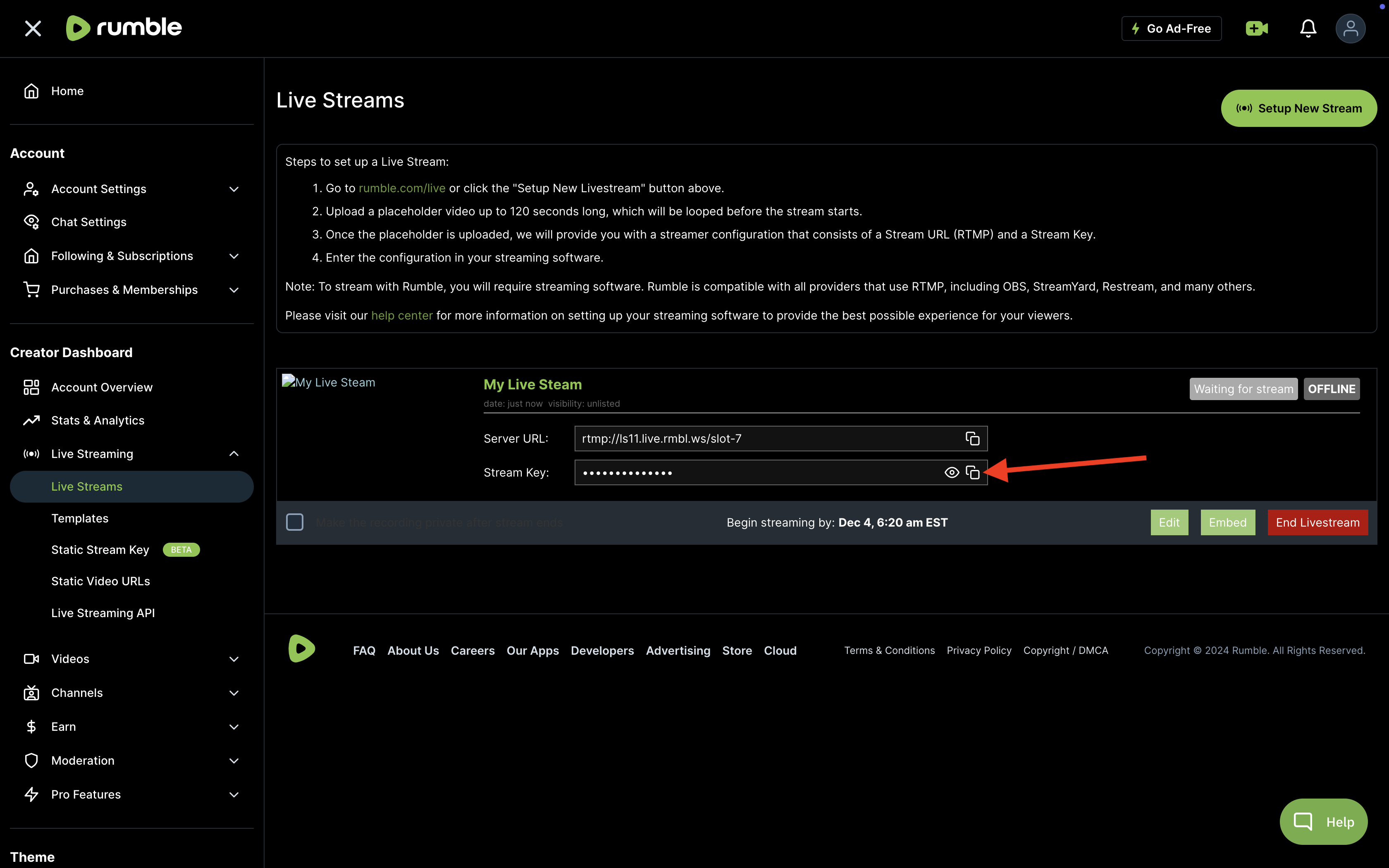
Step 4: Copy Stream URL and Stream Key
Copy the Stream URL and Stream Key provided by Rumble.
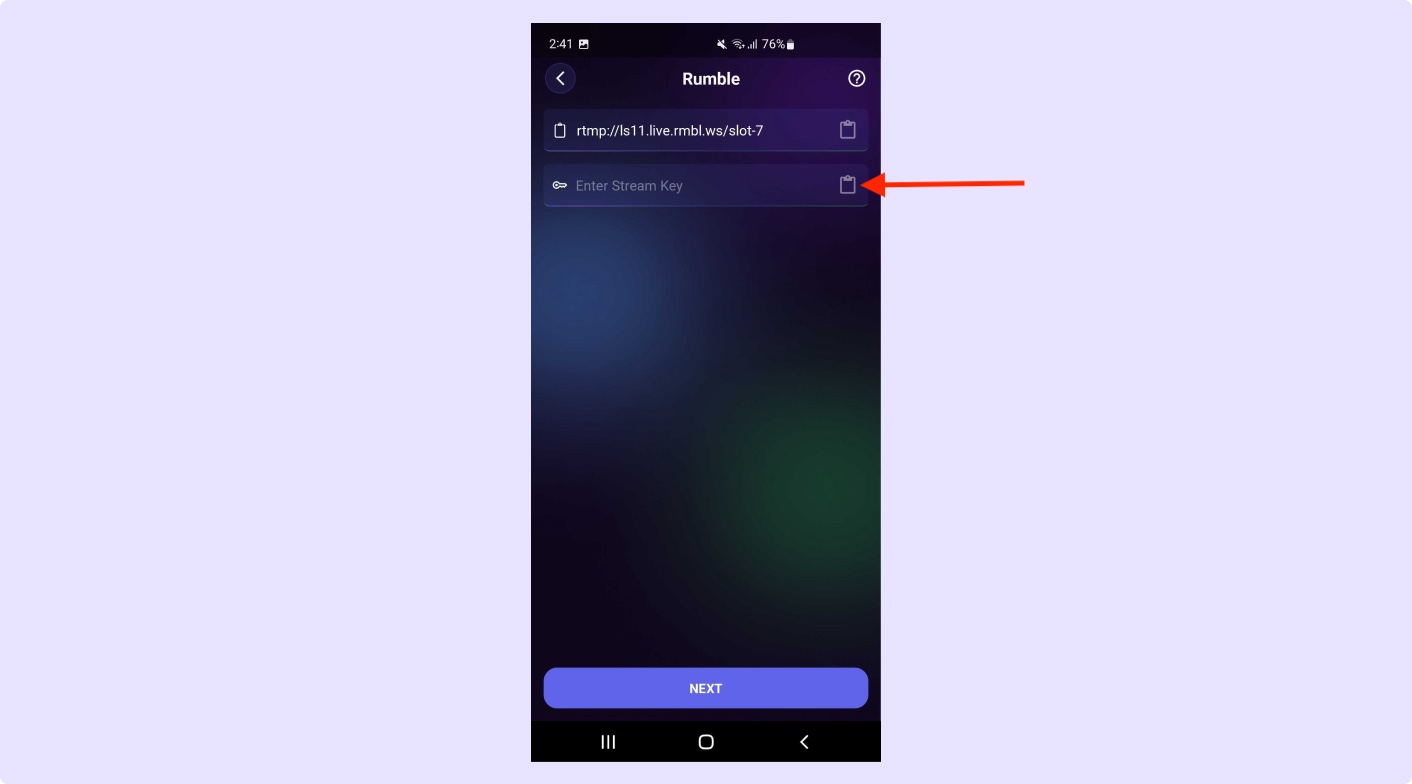
Step 5: Paste the Stream URL and Stream Key to our app and enjoy live streaming
Paste the copied Stream URL and Stream Key into the Qveedo app and enjoy live streaming.