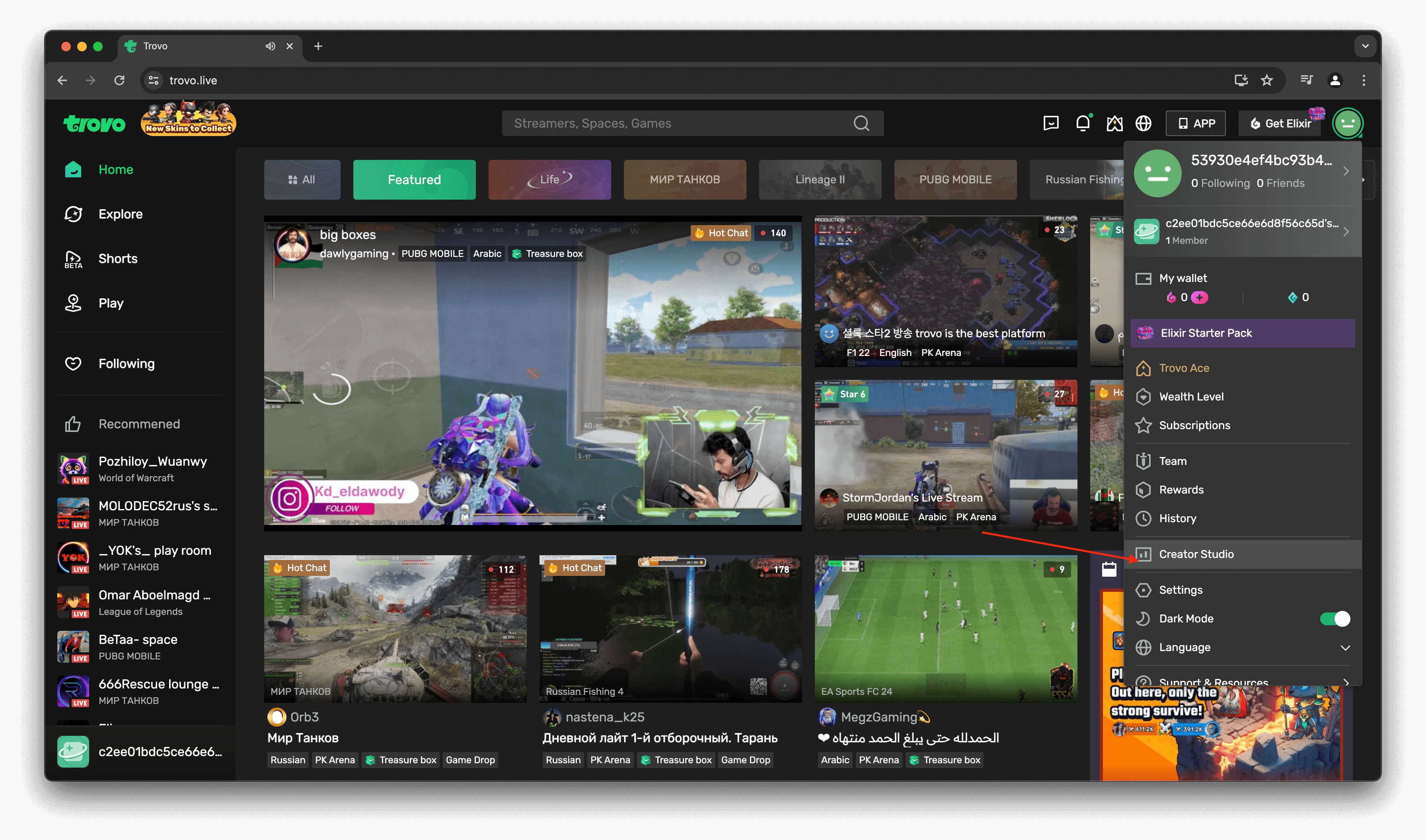
Open the Trovo app and tap on Creator Studio from the menu.
How to Stream Live on Trovo with Qveedo
Welcome to Qveedo! Let's get started with a step-by-step guide to unlock your streaming potential.
Step 1: Open Trovo app and tap on Creator Studio from the menu
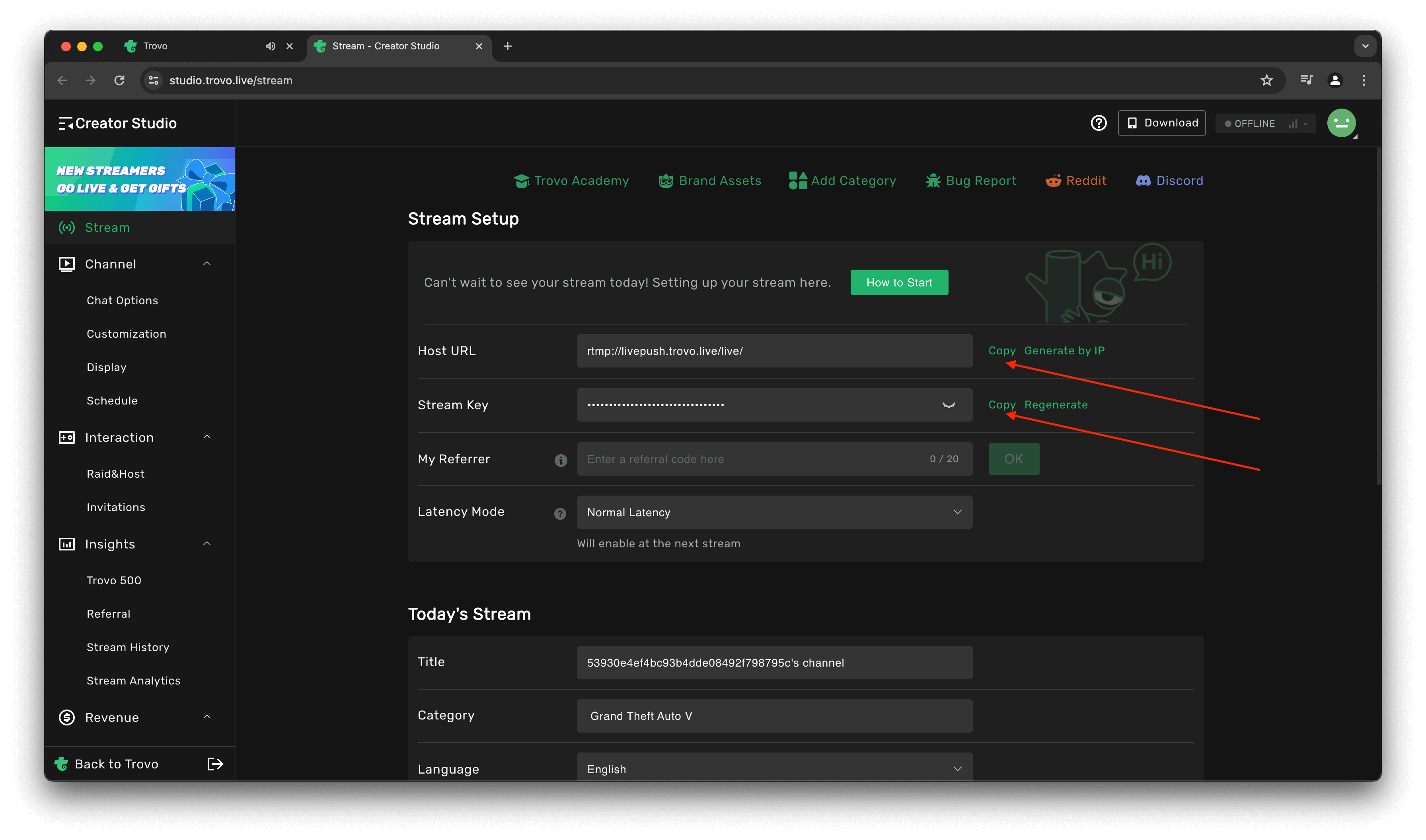
Step 2: Copy Host URL and Stream Key
In the Creator Studio, copy the Host URL and Stream Key. Be sure to enter your streaming details under Today's Stream.
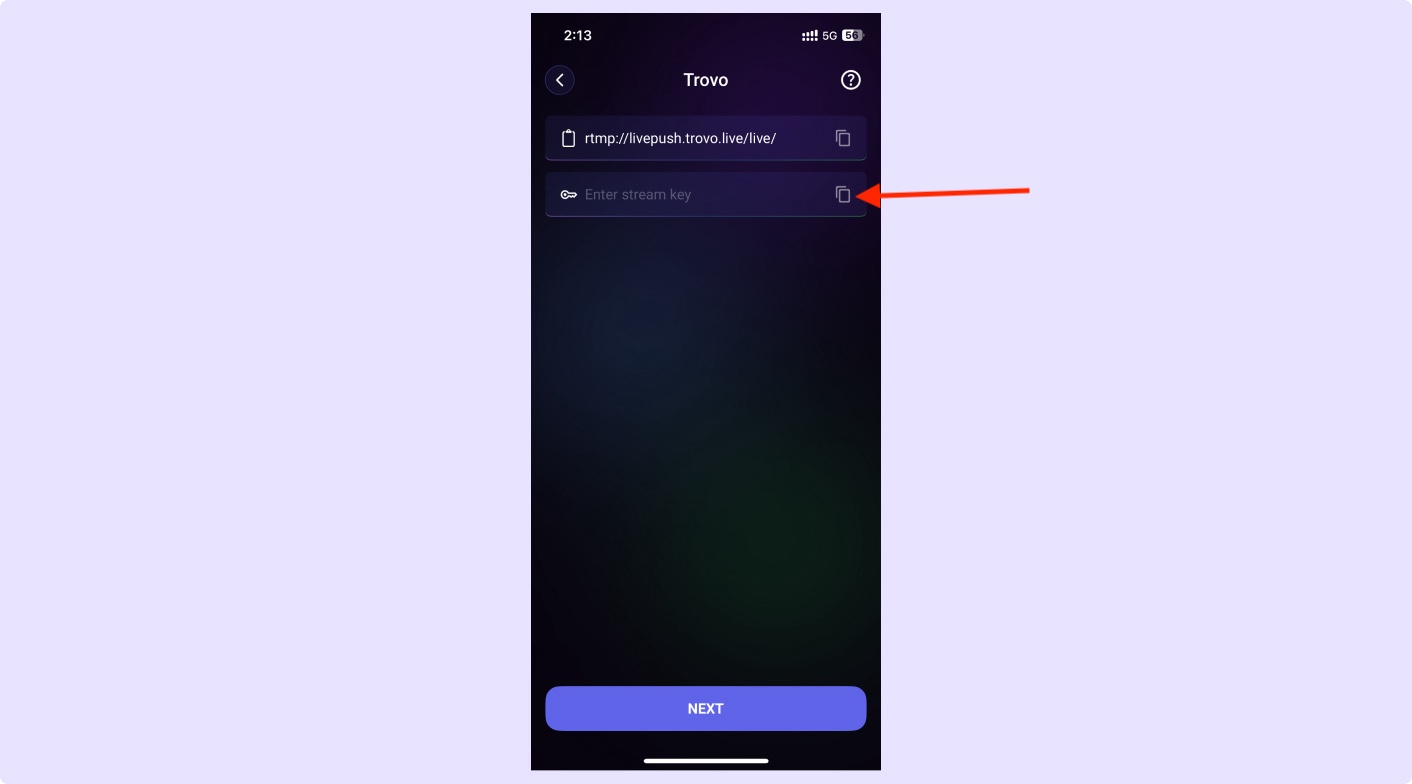
Step 3: Paste Host URL and Stream Key in our app
Paste the Host URL and Stream Key into the Qveedo app, and you’re ready to stream!