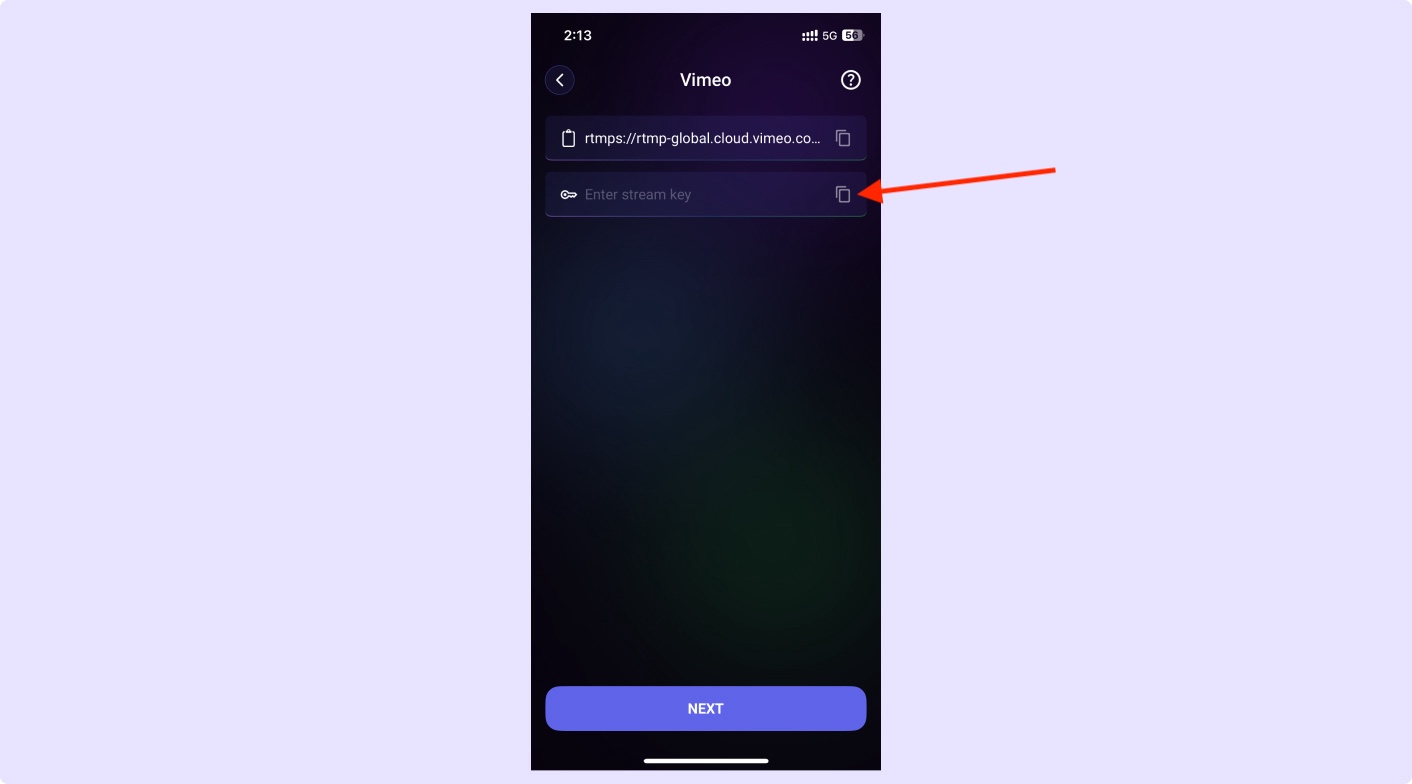
Go to Vimeo and click on the Live Events option.
How to Stream Live on Vimeo with Qveedo
Welcome to Qveedo, Let’s get started with a step-by-step guide to unlock your streaming potential.
Step 1: Open Vimeo app and click on Live Events
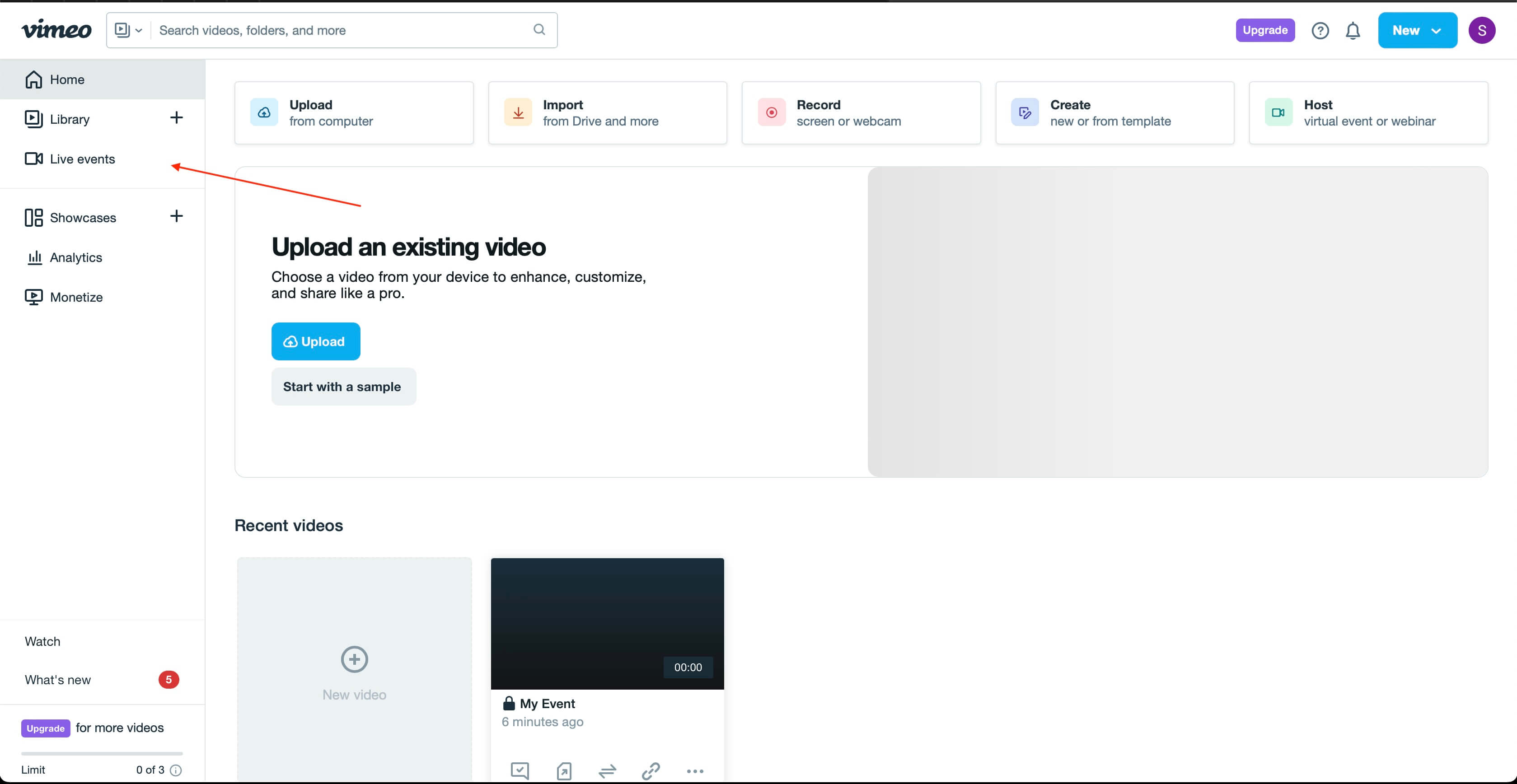
Step 2: Now click on Start Free Demo
Click on the Start Free Demo button to begin.
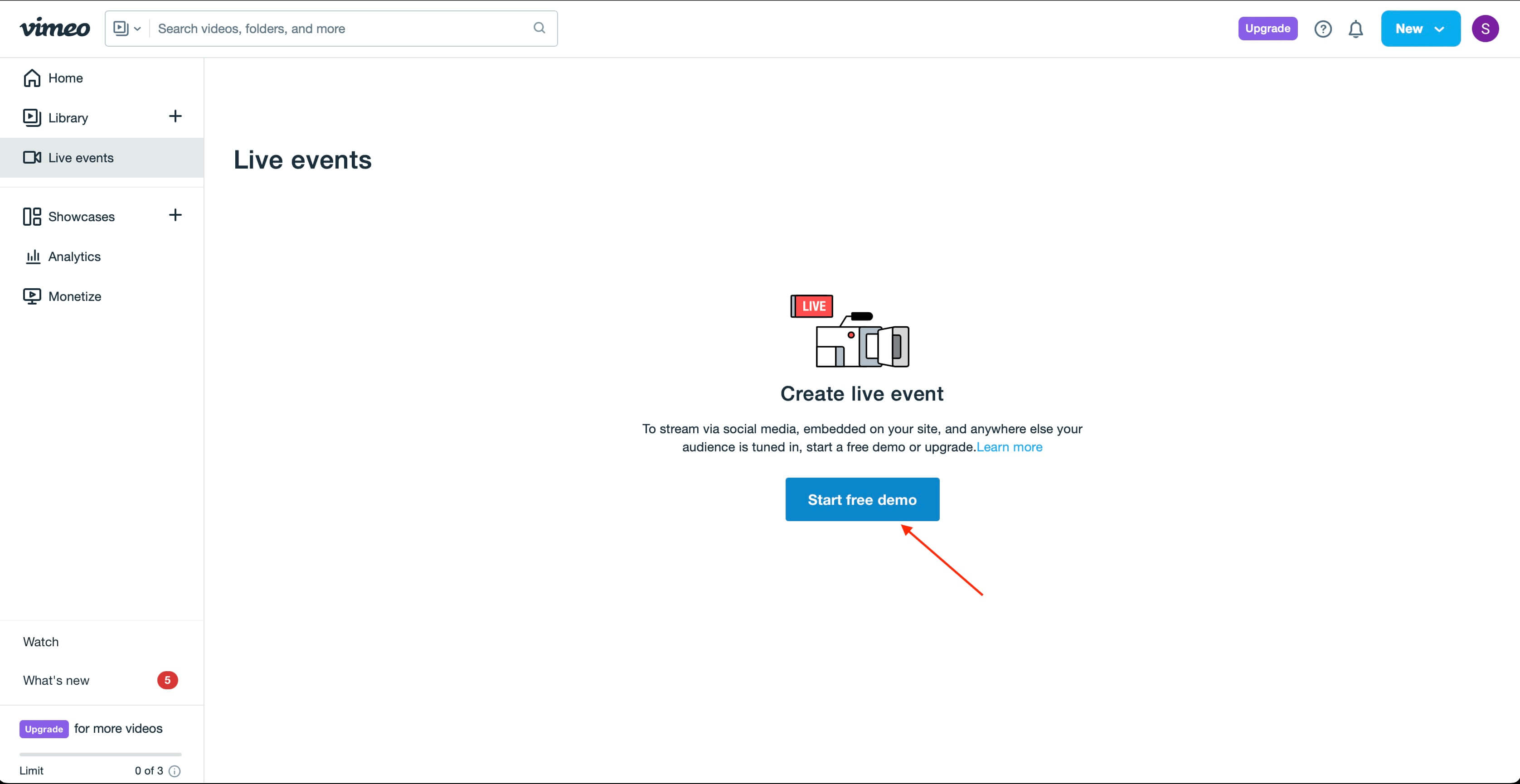
Step 3: Select Set Up From Scratch
Choose the Set Up From Scratch option.
Step 4: Select Stream With an Encoder and click on Save
Choose Stream With an Encoder and save your settings.
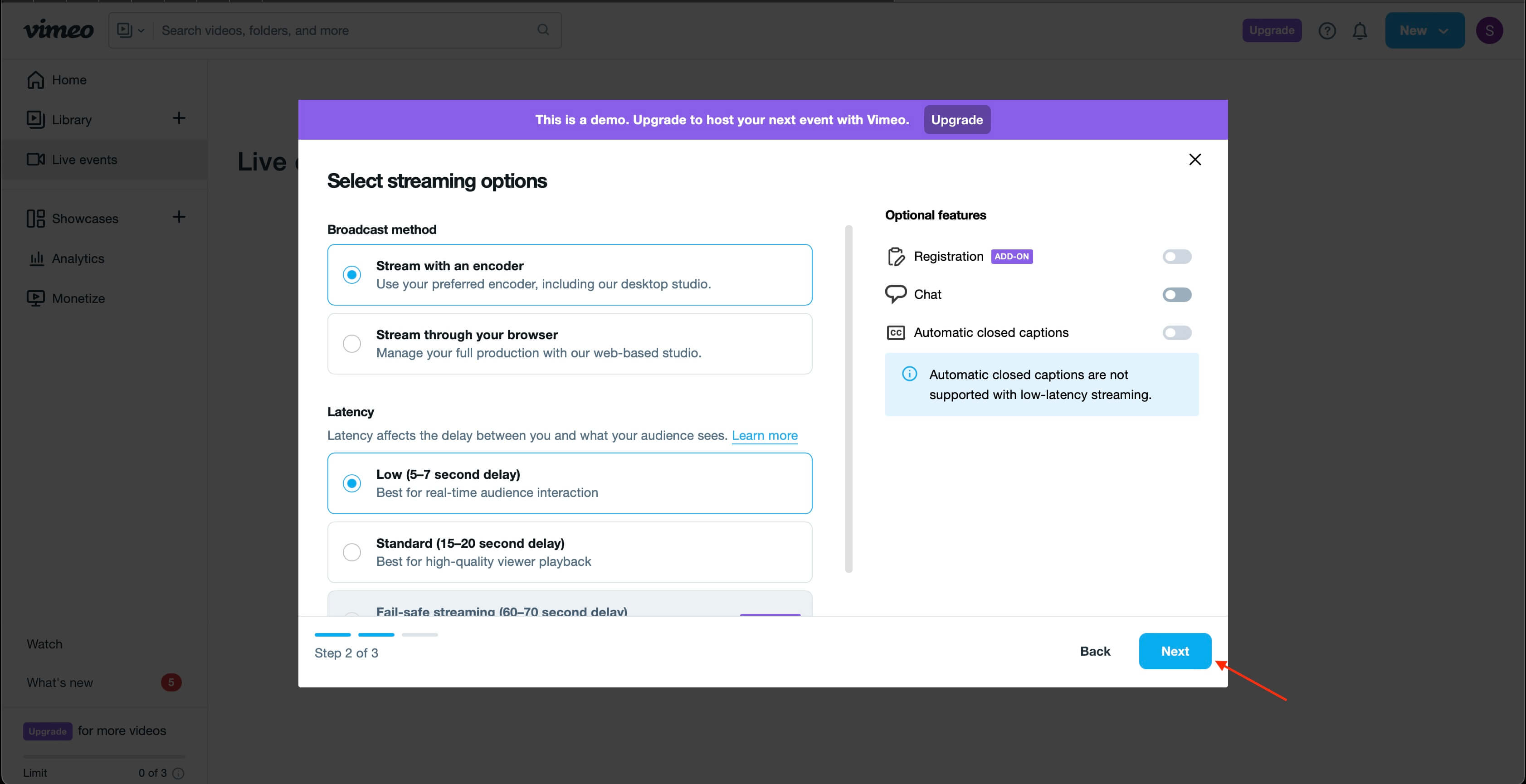
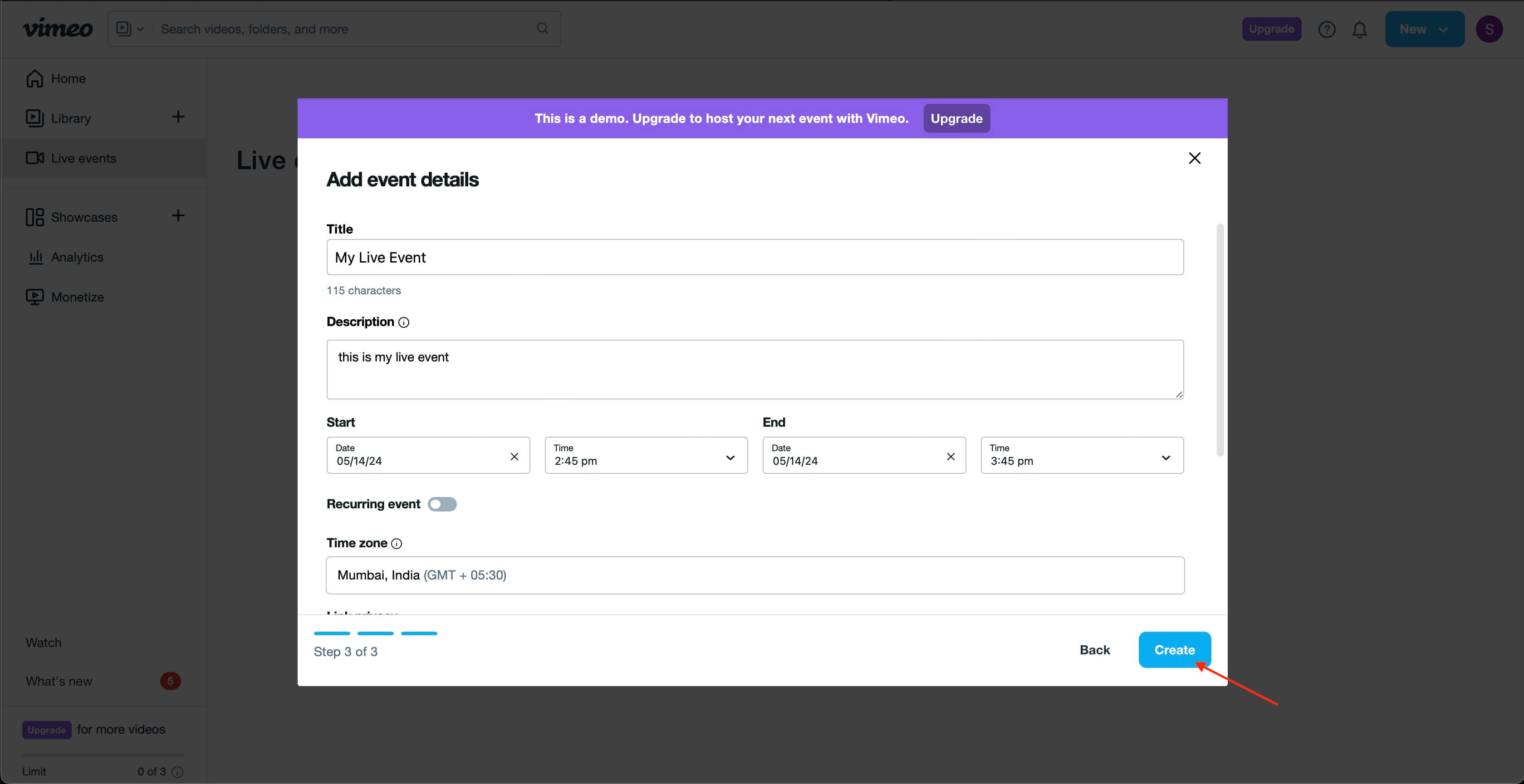
Step 5: Enter all the streaming details and click Save
Fill out your streaming details and click Save.
Step 6: Copy RTMP URL and Stream Key
Copy the RTMP URL and Stream Key.
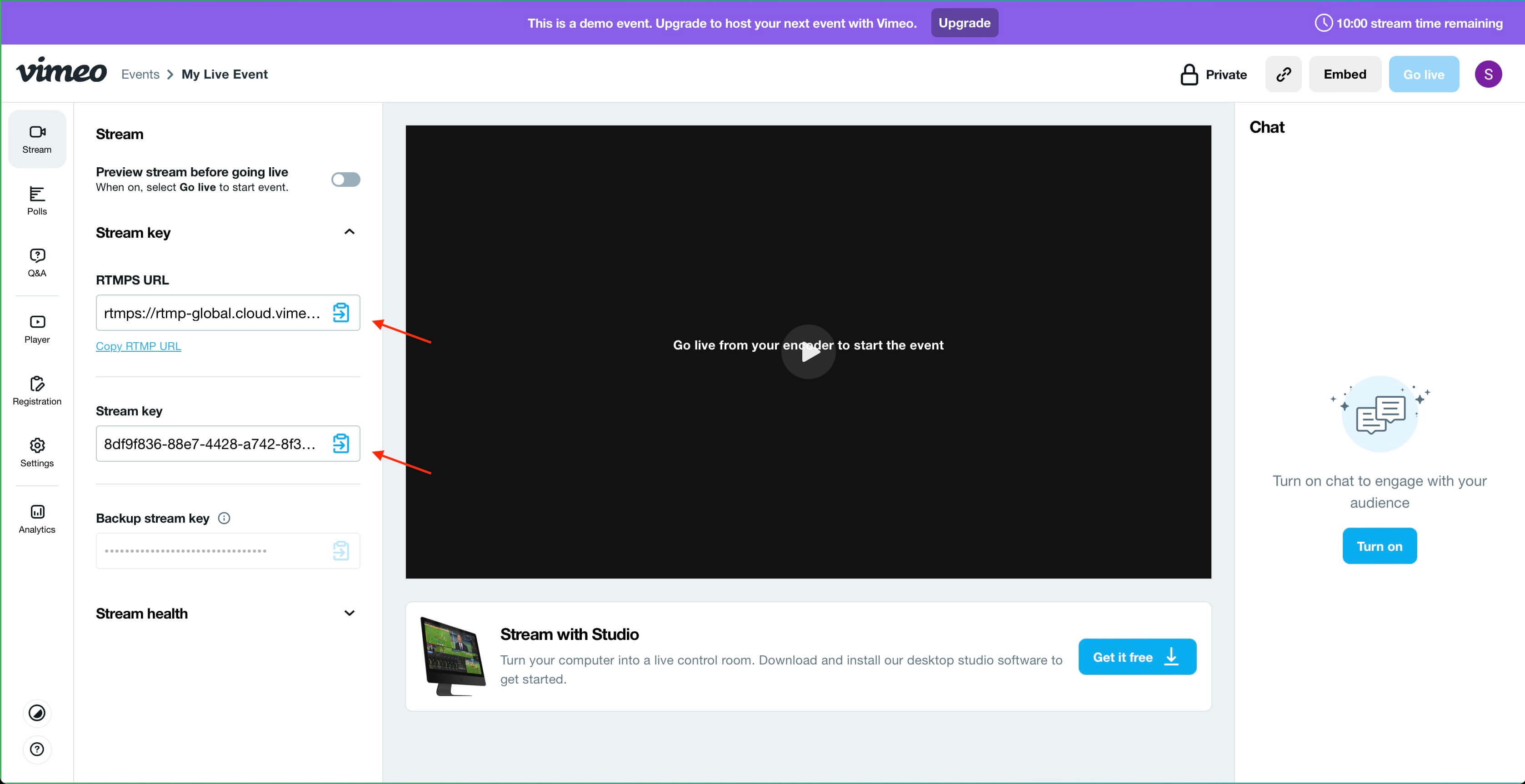
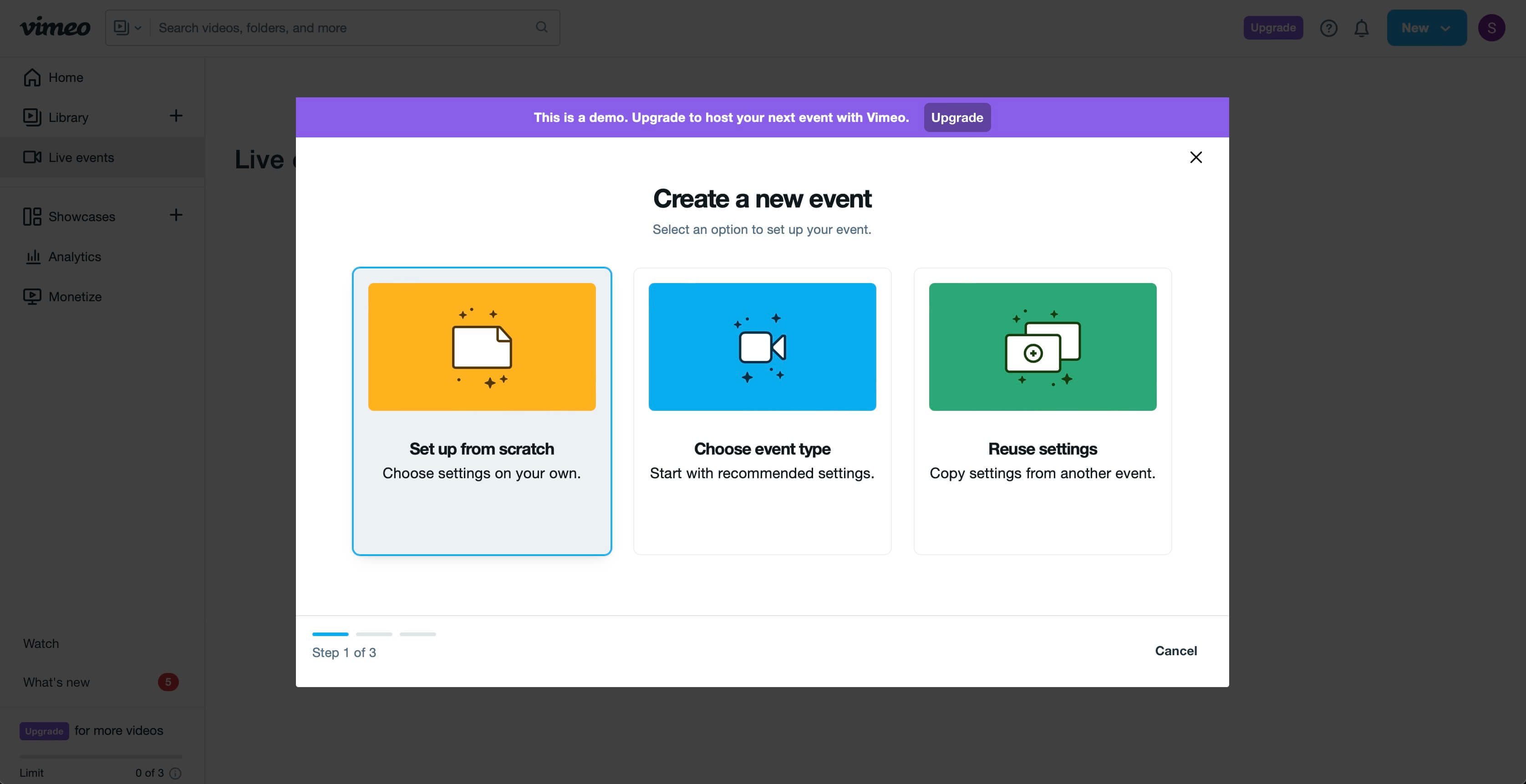
Step 7: Paste URL and Stream Key into our app
Paste the RTMP URL and Stream Key into our app to start streaming.